
TikTok publishing for Codex & Claude

Your next TikTok,
already planned.

Turn a reference into your own video or slideshow. Queue it for the right account and let ShortsBlink take the next shift.

From US$99 once · TikTok scheduling and MCP included

A dark pocket notebook on rumpled linenSome mornings fit on one page.
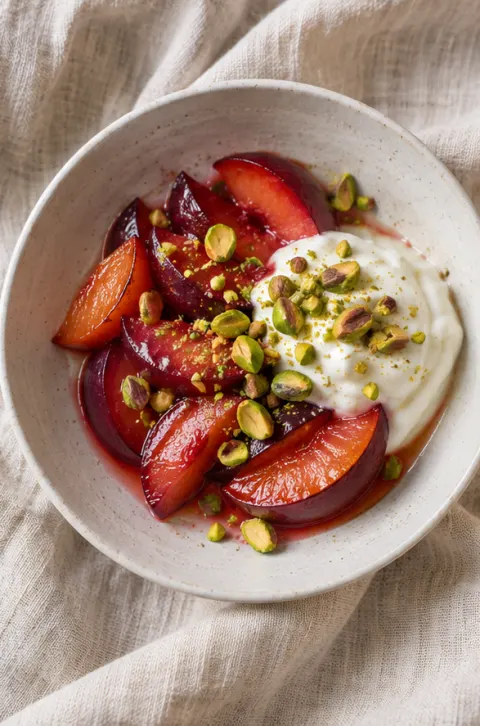
Plums with yogurt and pistachiosThe three o’clock plum bowl.
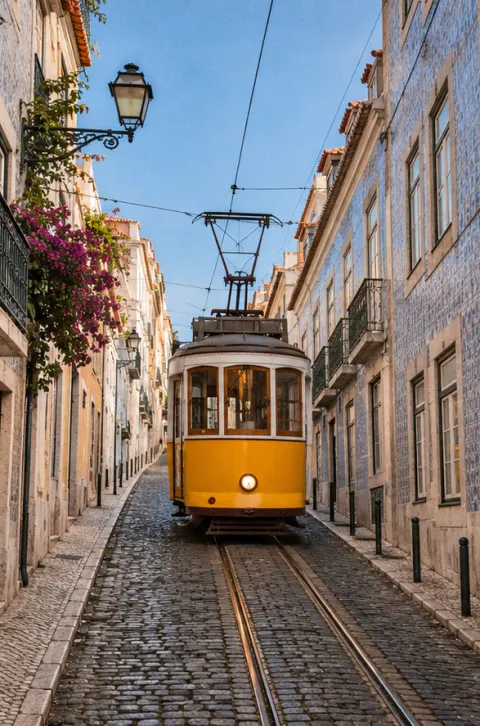
A yellow tram climbing a Lisbon streetOne afternoon in Lisbon.
ImageGen slideshow examples

Inside the workflow

One idea,
four steps.

Follow a poetry reference from the first prompt through to a sample publishing week.

Agent conversation · example

Make a three-slide reading journal. Give each photo one quiet line.

ShortsBlink skill

Start with a notebook, open to a fresh page, then leave something tucked inside.

A dark pocket notebook on rumpled linenSome mornings fit on one page.
Hands holding an open notebookI left the window open.
Folded pages and a cup beside a windowThe day came in slowly.

Slideshow examples

See what people
stopped to read.

Three TikTok photo posts reached over a million views each. Explore the originals, then swipe through our ImageGen remakes.

PoetryImageGen remake
A dark pocket notebook on rumpled linenSome mornings fit on one page.
1 / 3

A page for later

The source opens with a book on linen. A page turn delivers the writing. Our version keeps that quiet rhythm with new photos and three original lines.

8.19M source views@akhirapoetry ↗
Source details

8,192,896 plays · 1,321,722 likes · 2,307 comments · 2 slides. TikWM snapshot, Nov 25, 2026 UTC.
FoodImageGen remake
Plums with yogurt and pistachiosThe three o’clock plum bowl.
1 / 3

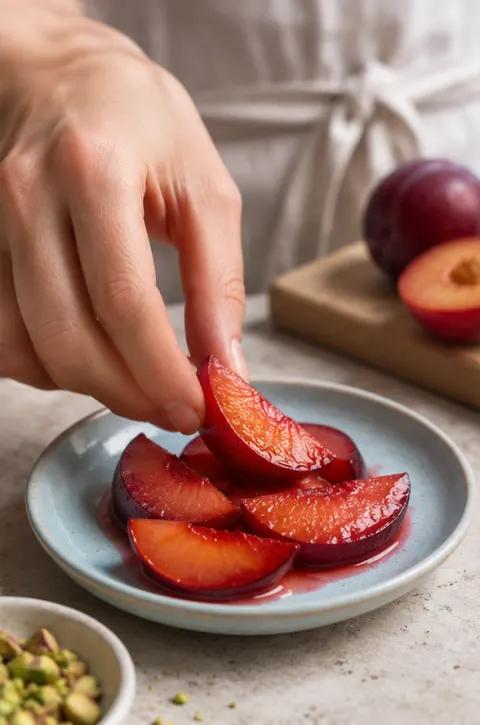
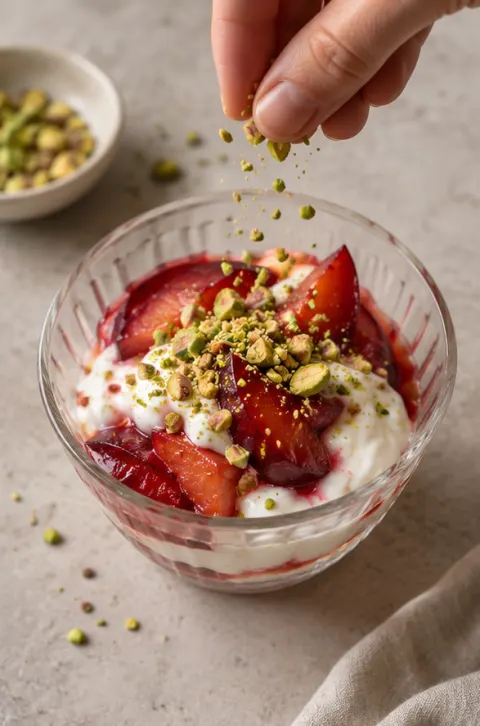
The plum bowl

The source pairs a short food headline with small ingredient photos on white. Our version follows one summer snack from ingredients to the finished bowl.

7.63M source views@healthyyinspoo ↗
Source details

7,627,584 plays · 857,077 likes · 803 comments · 6 slides. TikWM snapshot, Nov 25, 2026 UTC.
TravelImageGen remake
A yellow tram climbing a Lisbon streetOne afternoon in Lisbon.
1 / 3

Lisbon in three stops

The travel source opens with a destination photo and labels the route as you swipe. Our version takes a smaller trip through Lisbon in three stops.

1.40M source views@travelnova.app ↗
Source details

1,399,836 plays · 101,649 likes · 145 comments · 7 slides. TikWM snapshot, Nov 25, 2026 UTC.
Reference notes

Find the detail
people came for.

Compare the source counts, then study how the opening line and reader questions could shape a follow-up.

Work from a real TikTok post.

Give your agent a public @handle. It can check views on up to 50 posts and report how many had a measurable count.

Open the TikTok skill ↗

Opening frame

Compare two hooks.

“A weekend in the mountains.”

The bridge gives a first-time visitor a reason to save the route.

Source performance

Compare the formats.

A dark pocket notebook on rumpled linenPoetry8.19M
Plums with yogurt and pistachiosFood7.63M
A yellow tram climbing a Lisbon streetTravel1.40M

Views on the three original posts. Preview images are from our remakes.

Illustrative reader questions

Turn a question into a slide.

A Which fruit can I swap in?

B Do you toast the pistachios?

C Could I pack this for work?

For a follow-up to the plum bowl, show the swap or the packing step in one frame.

Creative workbench

Give the format
your own voice.

Use the ShortsBlink skill to map cuts or slides, rewrite the hook, and prepare a new version with your footage and photos.

Browse the TikTok reference library ↗

Reference / remake

Keep the framing. Change the scene.

Street-level viewRooftop reveal

The Lisbon remake moves from a close street scene to the river overlook. Slide across to see how the ending opens up the frame.

Caption desk

Give the words a place and time.

“An unforgettable adventure in nature.”

Swap a general claim for one detail you actually saw. Keep that detail on screen long enough to read.

Leave before sunrise.

Style your cover line.

0 selected

Download a Pinterest board.

Give your agent a public board or section URL. One command saves the images in order, with a source link for each slide.

Board download command

Replace BOARD_OR_SECTION_URL with your collection link. Requires Bash, gallery-dl, jq, OpenSSL and file.

curl -fsSLO https://shortsblink.com/static/lifetime/shortsblink-tiktok/pinterest-board.sh &&
bash pinterest-board.sh 'BOARD_OR_SECTION_URL' ./pinterest-images
View the Bash script ↗

Agent prompt

“Use my hiking clip as the reference. Keep the opening wide shot, then cut to three things I packed.”

For a photo post, give your agent the ordered images and one line of copy per slide.

Read the TikTok skill ↗

Publishing calendar

One week.
Every account.

Choose a connected TikTok account, set the time, and queue a video or photo post. See every account together or filter to one. Open a day or post for its details.

Practice board · sample drafts

Plan the week.

Pick a draft, then tap a day. You can also drag it into place.

Sample calendar

Saturday, November 03, 2029

UTC · 0 posts across all accounts
No posts

Scheduled delivery

Close the laptop.

Once your upload and schedule are saved, ShortsBlink keeps the queue running on its server.

Post status · interactive example

Follow the handoff.

Plums with yogurt and pistachiosThe plum bowl@fieldnotes · Direct post
  1. ✓ Three photos uploaded
  2. ✓ Submitted to TikTok
  3. ◷ TikTok is processing the post

Destination

Choose the finish.

Send the media to your TikTok inbox to add music or make a final edit in the app.

Account selection

Give each handle its own queue.

Use the colored account filters above to view one handle’s posts. Choose All accounts to check the total before adding another.

Direct post or TikTok inbox · Server-side schedulingOpen your calendar ↗

Model Context Protocol

Put your agent
on the schedule.

Try a sample conversation in the T3 Code panel. Each example shows the ShortsBlink tools an agent would call from your connected workspace.

T3 CodeSample agent session
You

Find a poetry slideshow people watched, then draft a new one for my journal.

Illustrated workflow
  1. Research · skill@akhirapoetry · 8.19M source views
  2. ImageGenNew notebook, open page, windowsill
  3. Compose · skillThree original lines matched to the photos
  4. get_calendarRead available days from the connected workspace
Agent

The three-slide draft is ready for review.

Agent setup

Connect Codex
or Claude Code.

The skill helps your agent prepare TikToks. The MCP connection lets it see your accounts and schedule posts.

Option 1 · Set your key in Terminal

Open Terminal and paste. The command includes your key and opens Codex. Your shell history may keep the key.

export SHORTSBLINK_LICENSE_KEY='YOUR_LICENSE_KEY' && codex

Then paste this message into Codex.

Install or update my personal TikTok skill from https://shortsblink.com/static/lifetime/shortsblink-tiktok/SKILL.md. Connect the shortsblink MCP at https://shortsblink.com/lifetime/mcp using the SHORTSBLINK_LICENSE_KEY environment variable for bearer authentication. List my TikTok accounts.

Option 2 · Paste everything into Codex

Open Codex and paste this message. It’s simpler, but the license key will be visible in your chat history.

Install or update my personal TikTok skill from https://shortsblink.com/static/lifetime/shortsblink-tiktok/SKILL.md. Connect the shortsblink MCP at https://shortsblink.com/lifetime/mcp. Save my license key YOUR_LICENSE_KEY as its bearer token in my private Codex settings. List my TikTok accounts.

Your workspace

One license.
Your setup.

Keep your editable originals locally. ShortsBlink stores the media you upload for scheduling, your connected TikTok accounts, and the queue that runs while you’re away.

A folder you can open.

Save the original photos, slide order and editable captions together. Upload the finished media when you schedule.

weekend-guide/
├── reference/    original photos
├── slides.json    captions and order
├── art/           generated images
└── final/         slides for TikTok

Google sign-in

Return with the same account to recover your purchase and open your calendar.

Private agent key

Your key is ready in your workspace after payment. Replace it whenever you need to disconnect an old installation.

One-time payment

Stripe handles checkout and billing. Use the AI plan you already have with your agent.

Lifetime pricing

Pay once.
Keep creating.

Each launch tier buys the same ShortsBlink TikTok license. The one-time price rises as places sell.

$99First 5
$129Next 5
$149Next 15
$199Next 50
$249Next 75
$299After launch
ShortsBlink.Lifetime license

US$99

One payment · 5 licenses left at this tier

  • TikTok video and photo scheduling
  • Per-account and combined calendars
  • Codex and Claude MCP access
  • Reference, slideshow and Pinterest skill
Get lifetime access ↗Sign in with Google or email, then pay through Stripe.

Questions

The details.

How do I set up my license key?

Sign in to the ShortsBlink account that holds your license. ShortsBlink creates your key as soon as Stripe confirms payment. Choose Codex or Claude Code in Agent setup. Copy the terminal command with your key, then paste the setup message into your agent. You can also copy everything into one chat message.

Open Agent access ↗
What does the license include?

Lifetime access to the TikTok workspace, its scheduling tools, the MCP connection and the downloadable skill for one ShortsBlink user. Your AI provider bills its own usage separately.

Can I use videos and slideshows?

Yes. Upload one MP4 or MOV video, or an ordered set of JPG, PNG or WebP images. Scheduled media stays available until one hour after TikTok confirms publication or inbox delivery. To reuse media after that, upload the original again.

Does my computer have to stay on?

Once ShortsBlink has received the media and the calendar entry, the server handles the scheduled delivery. Inbox delivery still needs you to finish the post in TikTok.

Can I disconnect a TikTok account?

Yes. Open the calendar and expand Manage accounts. Clear pending posts and pause active automations before disconnecting. Your TikTok profile and past calendar entries stay available on their respective platforms.

What happens if I lose my key?

Sign in with the same Google account and replace your access key. Update SHORTSBLINK_LICENSE_KEY and reopen your agent.

ShortsBlink Lifetime

Plan your next post.

A dark pocket notebook on rumpled linenSome mornings fit on one page.
Plums with yogurt and pistachiosThe three o’clock plum bowl.
A yellow tram climbing a Lisbon streetOne afternoon in Lisbon.
Open your workspace ↗